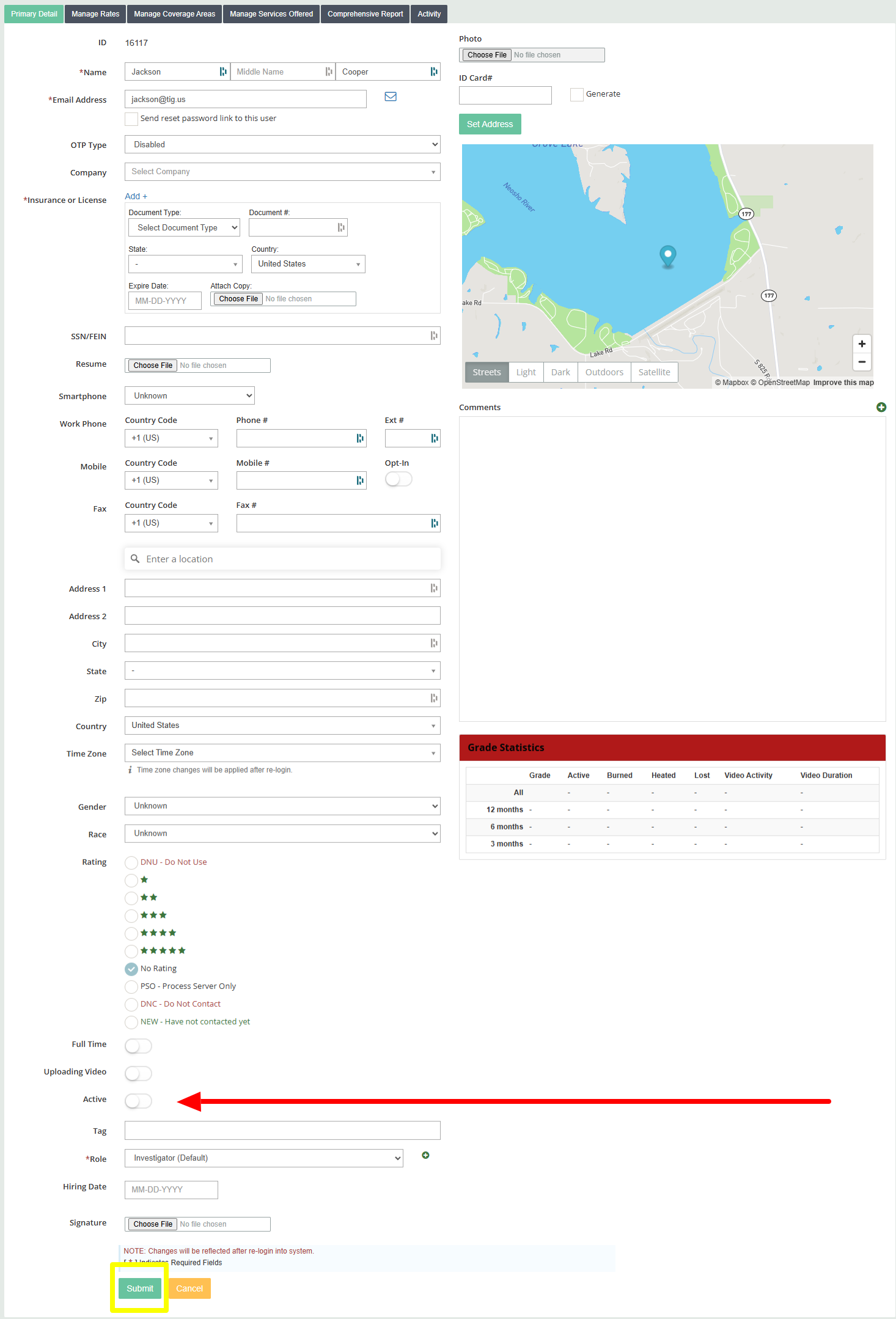
To deactivate an investigator user I would recommend keeping their profile in the system and "not" deleting their information. The steps below show you how to simply deactivate them so they will not have access to your CROSStrax regardless if they have a user name or password. Deactivating users will give you an extra slot to add another investigator to your plan.
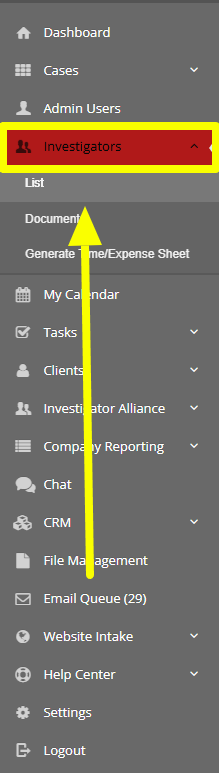
1. Click on "Investigators" from the left hand navigation bar and then select list from the drop down.
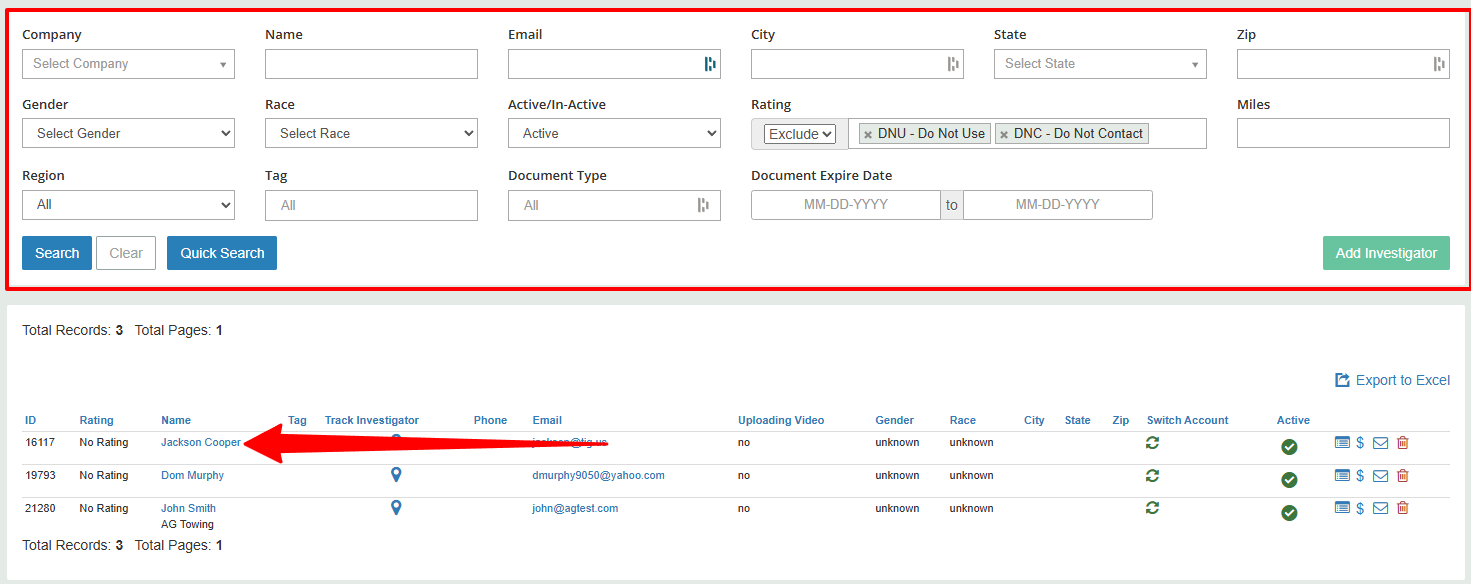
2. Use the parameters to locate the investigator profile you want to make inactive and then clock on their name.
3. Once inside the profile scroll down until you see the word "Active" with a toggle to the right of it. Click the toggle so it shows white. Once the toggle is white you can click submit and this user will no longer have access to your CROSStrax.